Free open-source extension to sniff & download M3U8, video, and audio from any page. Merges locally — no FFmpeg needed. Privacy first, zero data collection.
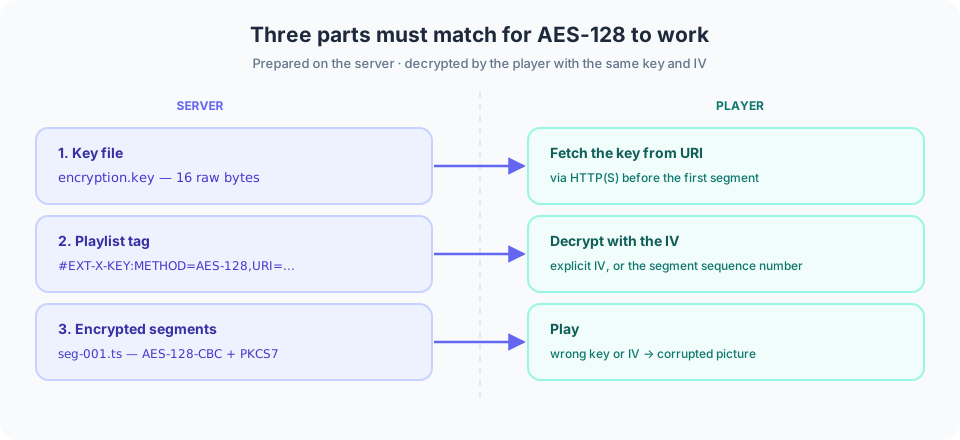
Inspect encryption lists the METHOD, URI and IV of every #EXT-X-KEY tag — useful when a player reports a decryption failure.
Add / replace encryption tag inserts a tag before the first segment, using a key you type or generate, and replaces any existing #EXT-X-KEY (a playlist normally needs only one).
Remove encryption tag deletes every #EXT-X-KEY line, for playlists whose segments are already decrypted or were never encrypted.
If you only need to rewrite an existing tag — for example after moving the key to a new domain — use Add / replace instead of re-encrypting, but make sure the key and IV still match how the segments were encrypted.
Playlists and keys are processed entirely in your browser — nothing is uploaded and nothing is logged. The generated key is a 16-byte binary file ready to be deployed alongside your encrypted segments.
Note that AES-128 exists to raise the cost of scraping, not to protect content. The key URI has to be requestable by the player, so the key can technically be retrieved. Real content protection needs DRM, and DRM cannot run entirely inside a browser.
Content maintenance: this page is maintained and reviewed by the EZ Online Tools team; technical statements are checked against the specifications listed above. Last updated: 2026-10-16
FAQ
Is this tool free?
Yes, completely free. No registration or sign-in required.
Are my files uploaded to a server?
No. Everything runs locally in your browser; files never leave your device.
What is the file size limit?
It depends on your device memory. Staying under 500MB per file is recommended.
Does it work on mobile?
Yes, on modern browsers such as Chrome and Safari. Smaller files are recommended.